Internal Users
We interviewed colleagues who used or depended on the application, learning about their existing workflows, needs and pain points.


Bringing the essential tools to run a business into one connected workspace
29%
Faster Information Retrival
32%
Productivity Increase
₹10L
Annual Savings
3.5×
Higher productivity
01 / THE CHALLENGE
I had the opportunity to lead the design of a large application: a complex, ambitious project that challenged me and offered a great deal of learning.
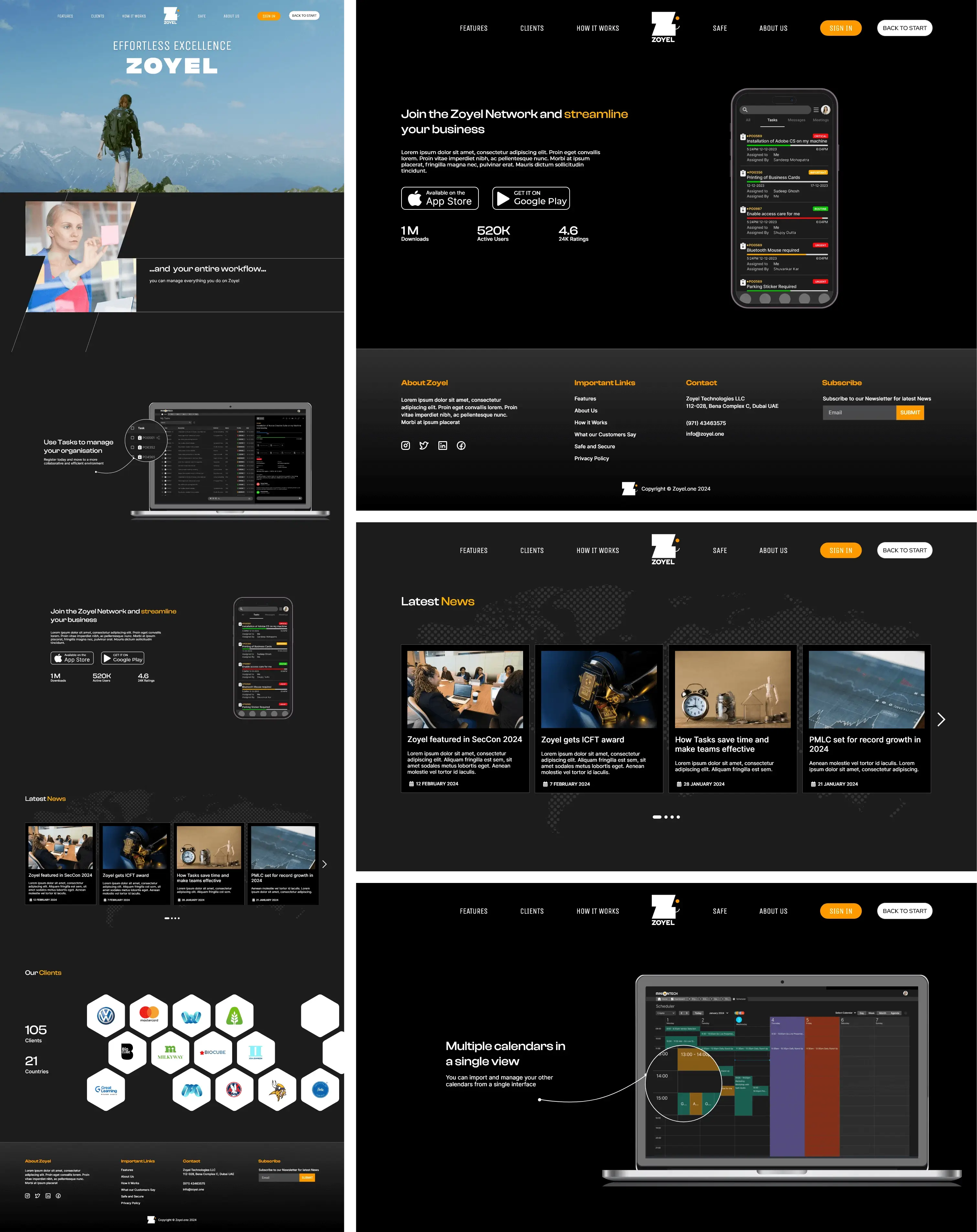
Zoyel brings together the tools small businesses rely on every day — mail, chat, tasks and billing — in one integrated application. The scope was large, with a vast number of users depending on it. To make the work manageable, we divided the application into smaller sections and treated each as its own project.
02 / RESEARCH AND REQUIREMENTS
For each part of the application, we identified the relevant user groups and spoke to them to understand their needs. These conversations helped us shape clear user-need statements, which then informed the user flows and journey maps.
We grouped the audience into internal and external users. As a technology company, we had access to a significant portion of our user base internally. This made it possible to conduct in-depth interviews quickly, understand core requirements and use those findings as a foundation for further research with external users.
We interviewed colleagues who used or depended on the application, learning about their existing workflows, needs and pain points.
We planned targeted outreach to bring in perspectives beyond the organisation and make sure the product reflected a broader range of user needs.
One key persona developed during the requirements phase was the Project Manager. This role helped shape core features such as mail, chat and task management.
A project manager needs efficient communication, seamless task delegation and real-time updates. We examined this workflow to shape mail for rapid correspondence and task updates, chat for instant communication, and task management for quick assignment and progress tracking.
The persona helped ensure these tools worked together while remaining intuitive and responsive to the daily demands of managing multiple projects.

03 / USER INSIGHTS
The research surfaced five recurring needs around integration, task visibility, communication, collaboration and timely information.
Users preferred streamlined tools that reduced the need to switch between email, chat and task management.
They needed clearer task prioritisation, dependency tracking and real-time progress updates.
We explored communication overload and how project managers filter and manage information.
Gaps in cross-functional collaboration highlighted the need for shared spaces and real-time syncing across tasks.
Users needed timely information about critical tasks and deadlines, alongside manageable notifications that avoided distraction.
04 / IDENTITY DESIGN
Alongside designing the application and website, I was also tasked with creating the platform's logo. The challenge was to incorporate the letter “Z” while making it stand out in a sea of identities already using the same letter.
I explored multiple directions, balancing uniqueness with simplicity. The identity needed to feel reliable, innovative and easy to use — qualities that reflected the product itself.

As the concepts evolved, I looked for a way to bring positivity and trust into the mark. Negative space became a key part of the solution, allowing the letter “Z” to combine with a familiar, friendly symbol.
THE DESIGN IDEA
A familiar, friendly expression hidden within the letterform.
The final logo uses negative space to form a smiling face with the letter “Z”, giving the identity a warm and approachable feel. The inspiration came from the iconic Apple Finder icon, particularly the Happy Mac. Its influence is recognisable, while the execution is adapted to Zoyel's own identity and purpose.

05 / TWO DISTINCT AUDIENCES
As the project progressed, it became clear that website visitors and application users were often different people. We needed to understand the procurement process and the roles involved in choosing and purchasing software.
We spoke with people who compared software options as well as those who made the final purchasing decisions. Their considerations included cost, features, ease of integration and user support.
Using these insights, we created a customer journey map that followed the process from initial awareness to the final purchase decision, capturing the needs and motivations of the different stakeholders.

The website content was structured so that each visitor could quickly find the information relevant to their role in the buying process.
Strategic benefits, return on investment and high-level case studies demonstrating business impact.
Detailed product comparisons, pricing and ROI calculators to support evaluation and decision-making.
Hands-on information such as product guides, technical specifications and user testimonials.
06 / APPLICATION DESIGN
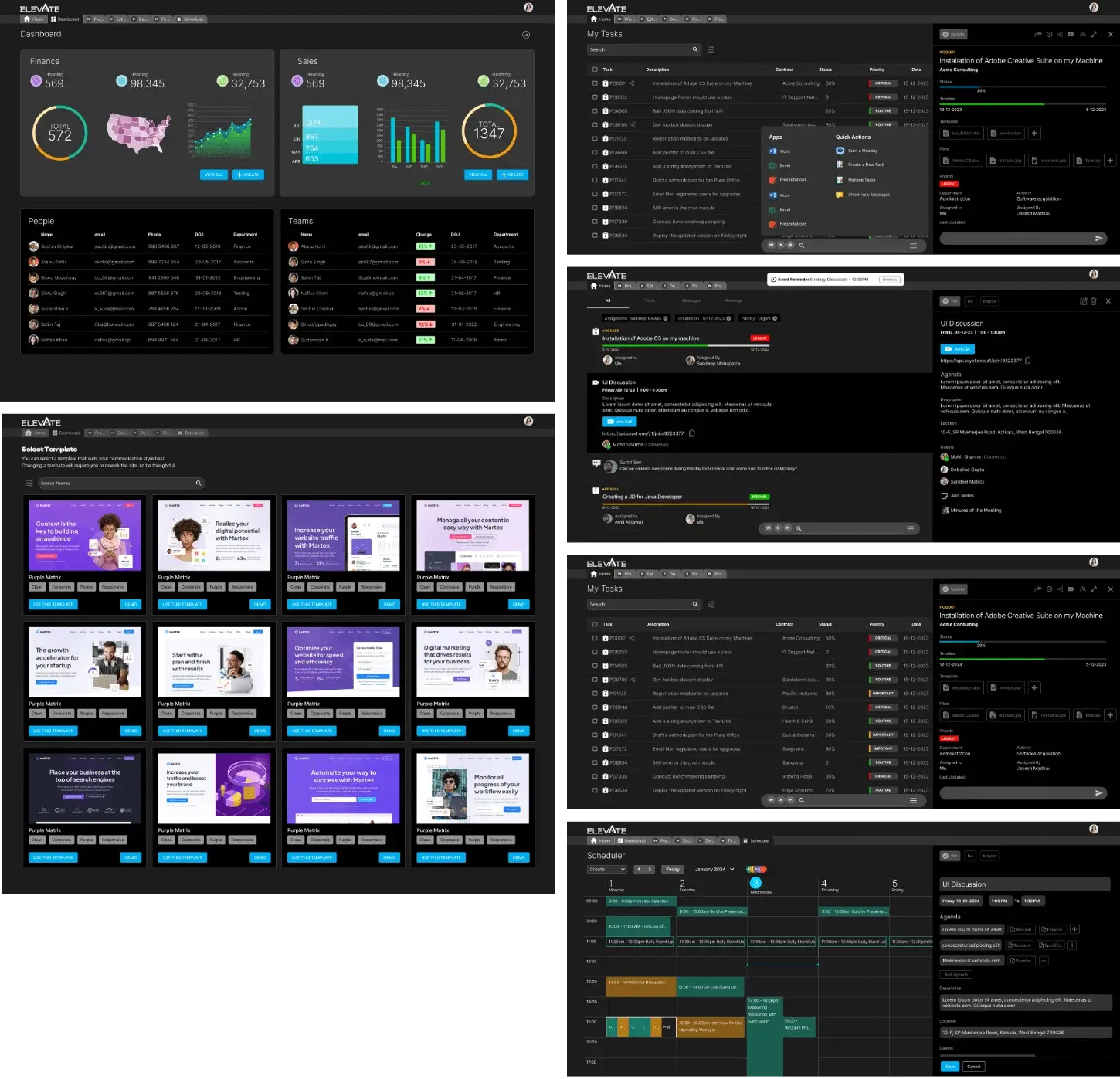
We divided the screen into distinct zones, each dedicated to a different type of content. The aim was to make the interface easier to scan and understand.
Following Steve Krug's principle of recognition over recall, we used familiar patterns that users already understood. This made the application more intuitive and efficient to use, helping reduce the learning curve and support adoption.